Ask your customers why they're sending something back.
Returns are rarely avoidable altogether, but some of them are. To get there, you need to know why products come back. With return reasons, you ask your customer why they're sending something back at the moment they create the return.

What you do with return reasons.
You see which products come back consistently.One return tells you nothing. Five returns on the same product with the same reason do. If an item keeps coming back because it's too small, the problem is in your size chart or your product photos, not in your returns process.
You separate your own mistakes from the carrier's.A product that arrives damaged is not the same as a product that didn't live up to expectations. The first calls for different packaging or a different carrier, the second for a better product page.
You steer your returns policy on figures.Once you see which reasons come up most often, you know where your policy pinches and where it holds up.
You use it in your analyses.The return reasons you collect come back in MyAnalytics. There you see them alongside your shipping data, per product and per period.
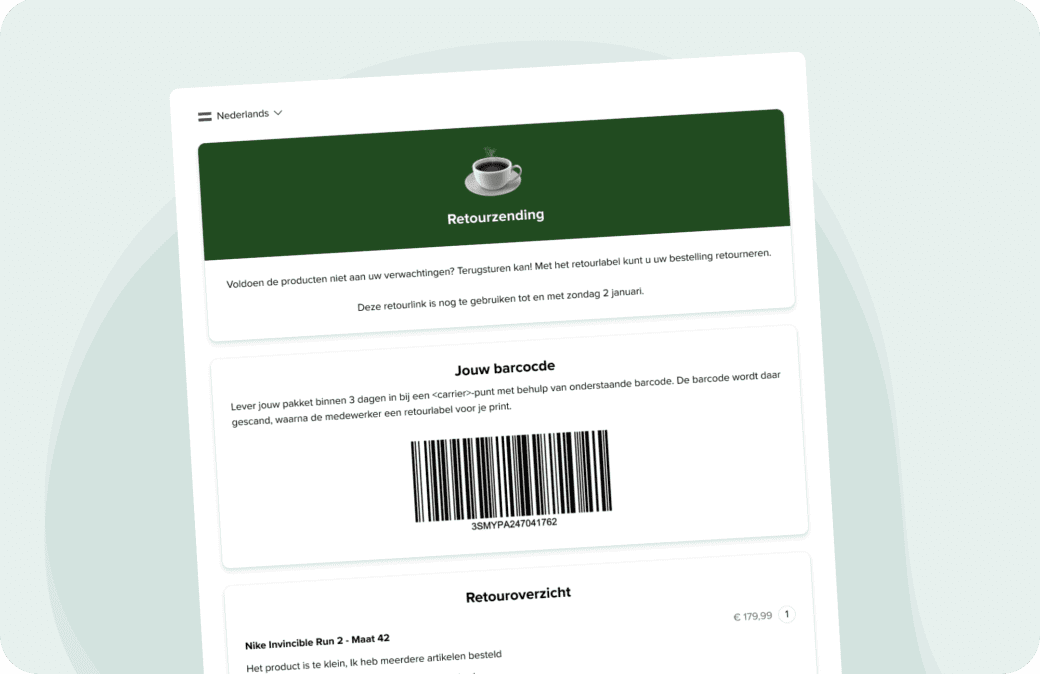
How to switch on return reasons.
Return reasons are part of your returns portal. If you haven't set that up yet, read here how to do that.
Log in to your account and go to Shop settings.
Click Returns and then Returns portal.
Tick Enable return reasons.
Under Available reasons, choose which reasons your customer sees. You can add up to fifteen.
Click Save at the bottom.
Keep the number of reasons limited. With fifteen options, your customer picks the first one that roughly fits, and then you're measuring noise instead of a pattern. Five or six reasons that match your range give you more usable data.

Getting started.
Set up your returns portal and switch on return reasons. After that, you'll see with every return why a product came back.
Frequently asked questions.
Return reasons are the options your customer sees when they create a return in your returns portal. They use them to indicate why they're sending the product back, for instance because it arrived damaged, didn't live up to expectations, or didn't fit.
You decide whether return reasons are switched on and which reasons you offer.
Up to fifteen.
In your account with your returns, and in MyAnalytics alongside your shipping data.
Return reasons are part of your returns portal, which comes as standard with your MyParcel account. If you also want to collect returns per product and have them approved automatically, that's part of MyReturns.